Flipper Zero Echoids
Hardware: Flipper Zero with an ESP32 board running Marauder, or an Android phone
Status: In progress
Source: github.com/daniebker/flipper_echoids
A creature collecting game for the Flipper Zero. Creatures called echoids hide in the WiFi access points around you, and the Bluetooth devices you pass drop shards that you craft into gear.
- WiFi access points are wild echoids. An access point’s MAC address decides the echoid’s species, type, rarity, stats, pixel sprite and its own name, so the same access point always gives the same echoid.
- Bluetooth devices drop shards. Each device drops the same shard every time, then has to recharge for hours or days before it drops another.
- Shards are crafted into Echo Balls, Tonics, Revive Crystals and extra PAC storage.
- Echo Balls catch echoids. Weaken a wild echoid in battle, then throw a ball.
- Your first echoid is born from your own Flipper, generated from its Bluetooth MAC address.
- Echoids level up to 100 by winning battles and catching others, learning new moves as they go.
Wild echoids only come out at certain hours, so coming back at a different time of day gives different encounters. Every network you can connect to also hides a dungeon: jack in with the password and fight through a few rooms to a boss for rare rewards.
The Flipper has no WiFi radio, so the app talks to an ESP32 board on the GPIO header running ESP32 Marauder. The official WiFi Devboard finds echoids; an ESP32 or ESP32-S3 board finds Bluetooth shards too.
Echoids also runs as an Android app with touch controls. Both apps share the same C game code, so an access point gives the same echoid on a phone as on a Flipper, and the phone’s own radios do the scanning.
Screenshots
Flipper Zero
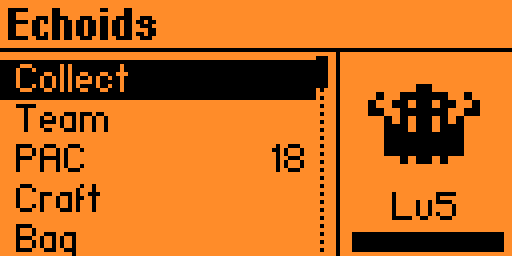
The main menu, with your lead echoid on the right and how many echoids are in PAC storage.
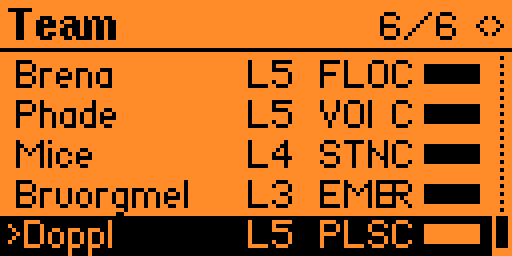
Your team holds up to six echoids, each with its level, type, rarity and HP.
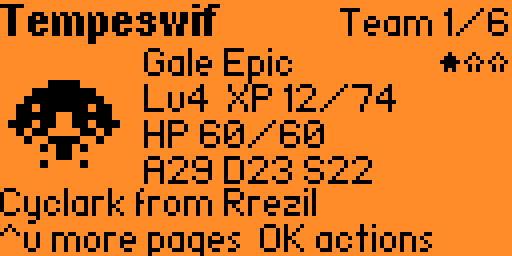
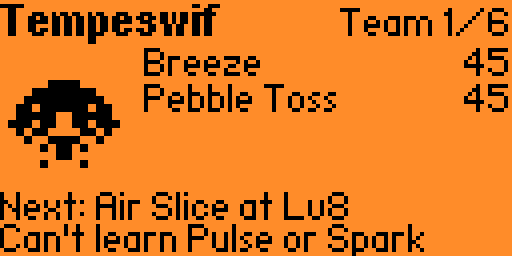
An echoid’s details show its type, rarity, star rating and stats, plus the access point it came from. Press up or down to see its moves, the next one it learns and the types it can never learn.
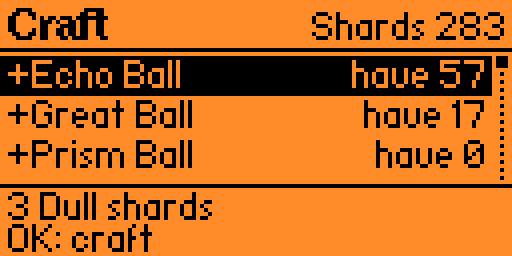
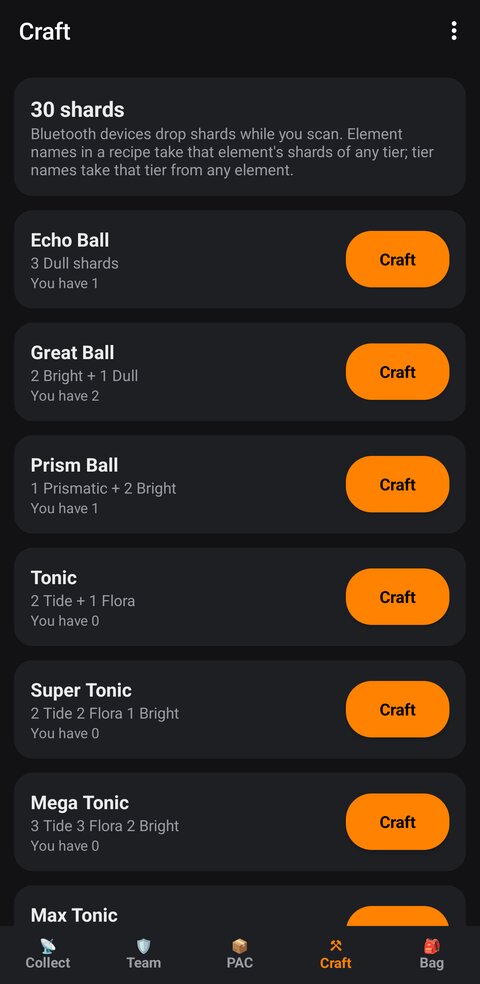
Craft turns Bluetooth shards into Echo Balls and other items.
Android
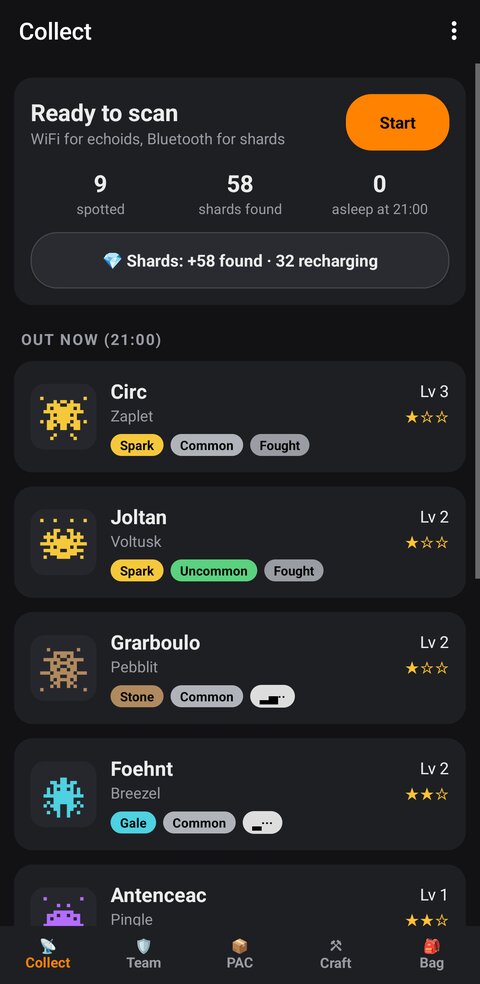
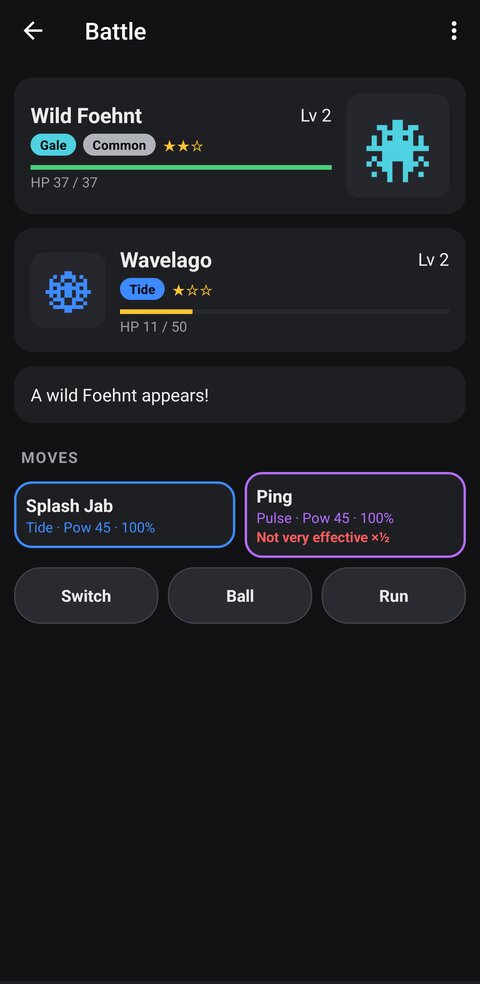
Collect lists the echoids out right now. A battle shows each move’s type and whether it’s strong or weak against the wild echoid.
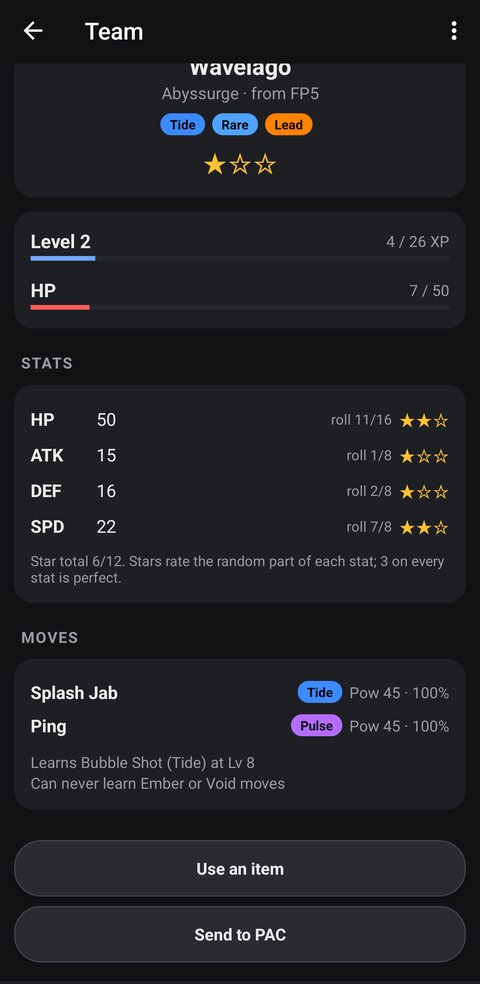
An echoid’s details page shows each stat’s roll, its moves and what it learns next. Craft shows every recipe and how many of each item you have.
More details coming soon.
Changelog
Unreleased
The first release, 1.0 (fap_version in application.fam, versionName in
android/app/build.gradle), has not been tagged yet. Everything in the game so
far is listed here.
Added
Core game
- Echoids, a creature-collecting game for the Flipper Zero: WiFi access points become echoids you can catch, and Bluetooth devices drop crafting shards. Both are worked out from the device’s MAC address, so the same MAC always gives the same echoid or shard.
- Every echoid has its own name, made by a Markov chain from its MAC and themed after its type (4–9 letters). Its species is shown next to the name.
- Wild echoids only come out at certain hours of the day. Each MAC gets one or two daily windows, and rarer echoids get shorter ones.
- Rarity badges (C, U, R, E, L) in the Collect list, the Team and PAC lists, and in battle.
- A star rating for each echoid’s random stat rolls, shown in the Collect panel, on the details screen and on a Rating details page.
- The Collect screen lists echoids by species, shows the selected echoid’s stats, and counts echoids spotted and shards collected this outing.
Battles and moves
- Move sets: each type has its own moves, learned on a fixed schedule up to level 100. An echoid uses its four most recently learned moves.
- Every move has a type. Coverage moves make matchups matter, and an echoid never learns moves of the type it beats or the type that beats it.
- Battle menu with Hit, Swap, Ball and Run. When an echoid faints you pick a replacement, and the battle is lost only when the whole team has fainted.
- Battle XP is shared between every echoid that fought. A Results screen lists XP, level-ups and newly learned moves.
- An echoid you already own can never be caught again.
Dungeons
- Jack in to a nearby WiFi network to play through its dungeon. The network’s MAC sets the dungeon’s name, element, 4–6 rooms (fights, shard caches, a rest) and a boss at the end.
- Inside a dungeon only the dungeon, team and bag are available. A wiped-out team or a dropped connection ejects you; beating the boss gives a Prismatic shard, 2 Great Balls and a Revive Crystal.
Items, crafting and storage
- Tonic, Super Tonic, Mega Tonic and Max Tonic heal 20, 50, 100 and full HP. A Revive Crystal brings a fainted echoid back with 1 HP.
- Tonics and Echo Crystals ask which team member to use them on.
- Shard cooldowns per Bluetooth device: Dull 3 hours, Bright 30 hours, Prismatic 300 hours. They use the real-time clock and are kept in the save.
- A Shards page lists every Bluetooth device heard this outing, its shard, whether you collected it and when it’s ready again.
- A team of up to 6 echoids, with the rest stored in Cold PAC storage. Craft PACs for more room; PAC echoids are kept on the SD card, so storage is limited only by its space.
Flipper Zero hardware
- Scanning with an ESP32 board running Marauder over UART, including the
current Marauder firmware’s
scanalloutput. - Board setup page (pins, baud, 5V power, boot wait, line ending, scan commands, Bluetooth), a live UART terminal and auto-calibration.
- The Collect screen explains why nothing is listed, and Board setup can log raw UART traffic to the SD card.
- Detects an ESP32 that keeps rebooting or is stuck in flashing mode, and says what to do.
Android
- An Android app that plays the same game with the phone’s own WiFi and Bluetooth radios. It has a native UI with Collect, Team, PAC, Craft, Bag and Dungeon tabs, echoid detail pages and a battle screen.
- Both apps share every game rule through
src/session.c.
Docs and tooling
- Wiki pages generated from the game’s own tables: Types, Types and Moves, Echoids, Battles, Items and Crafting, and Dungeons. CI checks they are up to date.
- CI builds the Flipper app and the Android APKs, and a Release workflow publishes both with the docs and SHA256 checksums.
- Screenshots of the Flipper and Android apps in the README.
Fixed
- Android 15: pages are no longer hidden under the title bar, and the tab bar no longer sits under the gesture bar.
- The main menu’s highlight bar no longer covers the lead echoid’s sprite.